Built for boxing gyms
Run the whole class
from your phone.
Gameplan HUD is a round timer, combo caller, and class display built specifically for boxing clubs. Not a generic HIIT app with a bell sound effect. Your club's name, your combos, your classes, in sync across every screen in the building.
Photo by Wade Austin Ellis on Unsplash
Click through demo
See it in action
This is the real screen and the real remote, running live, right here. Not a recording.
 Riverside Boxing Club
Jump Rope
0:10
Coach Remote
Try it. These buttons actually work.
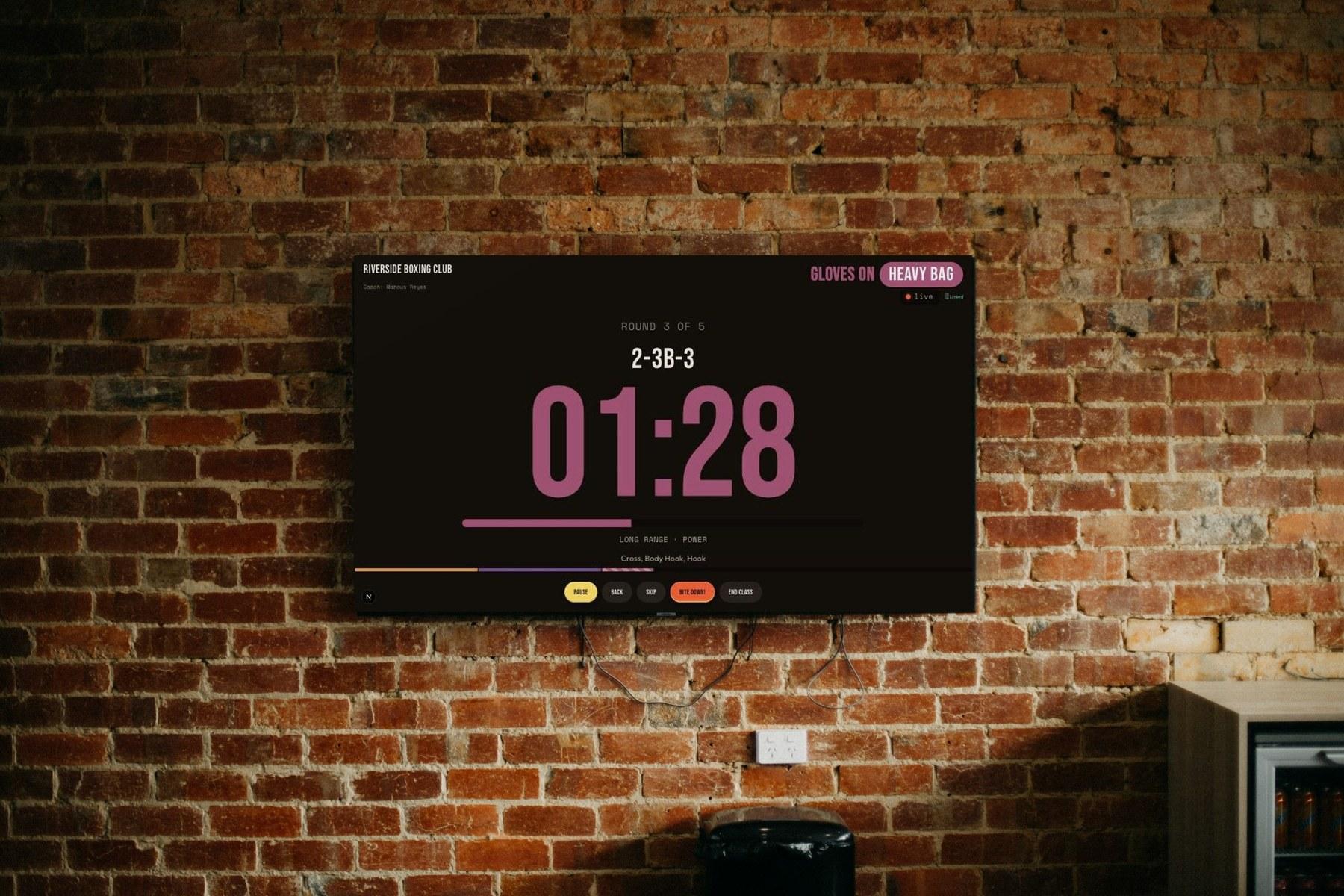
On the wall
The screen everyone's already staring at
Mount a screen, point a browser at it, and class is on the wall. Synced live with every coach's phone in the room.

Why coaches switch
Not another interval timer
Not a generic interval timer
A round timer, combo caller, and class display built specifically for boxing clubs. Not a stopwatch app with a bell sound effect bolted on.
Keeps running when the WiFi doesn't
Survives a dropped connection, a reload, even a killed tab. The clock doesn't stop because the WiFi did.
No ads mid-round. Ever.
Other apps slap a banner over the clock. We never will.
A pocket can't end your round early
Lock the remote so a stray tap or a passed-around phone can't touch it.
Call combos live, or hands-free
No more shouting from memory. Call them from your phone, or with your voice.
Your club's name on the wall
Upload your logo once and it shows up wherever your club's name does. Not someone else's branding.
Photo by Wade Austin Ellis on Unsplash
Inside the app
More of what's on screen
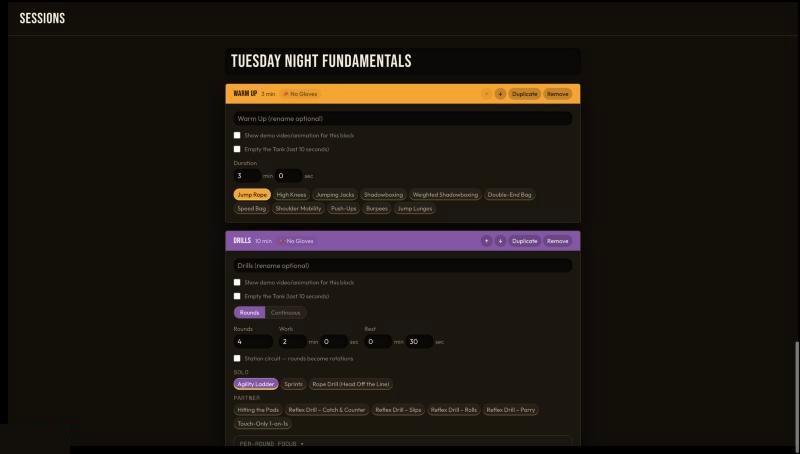
Build a class once. Warm-up to cool-down, color-coded by block type, reusable every week.
Good to know
Frequently asked questions
Do I need special hardware, like a smart TV or a box?+
No. Any screen with a browser works: a TV, a tablet, an old laptop propped on a shelf. Point it at your session's link and that screen is now your class display. Nothing to install.
What happens when the gym's WiFi drops mid-class?+
The clock keeps going. Gameplan HUD installs like an app (add it to your home screen) and keeps running through a dropped connection, a reload, even a killed tab. The round doesn't stop because the WiFi did.
What do I actually get for free?+
The full timer and class display, no ads, ever. Plus 3 saved class plans and 10 custom combos for 1 coach. That's enough to genuinely run a class, not just try one out.
Can more than one coach use it?+
On the Club plan, yes. Up to 7 coaches sharing one combo library and session list, all synced to the same club. Free is scoped to 1 coach.
Can I put my gym's logo on the screen?+
Yes, on every plan. Upload your logo once in Club Settings and it shows up wherever your club's name does, the class display included.
Can a coach call combos without touching the TV?+
That's the whole point of Coach Remote. Pause, skip, call a combo, or go hands-free with your voice, all from your phone while the screen on the wall stays put.
Ready to put it on your wall?
Set up your club's account and start building classes today.